01 / DISCOVER
Find a model that fits your Mac.
Search for what you want to do in plain language. Anchor shows relevant models alongside the memory they need, so you can make a choice before downloading.
Get Anchor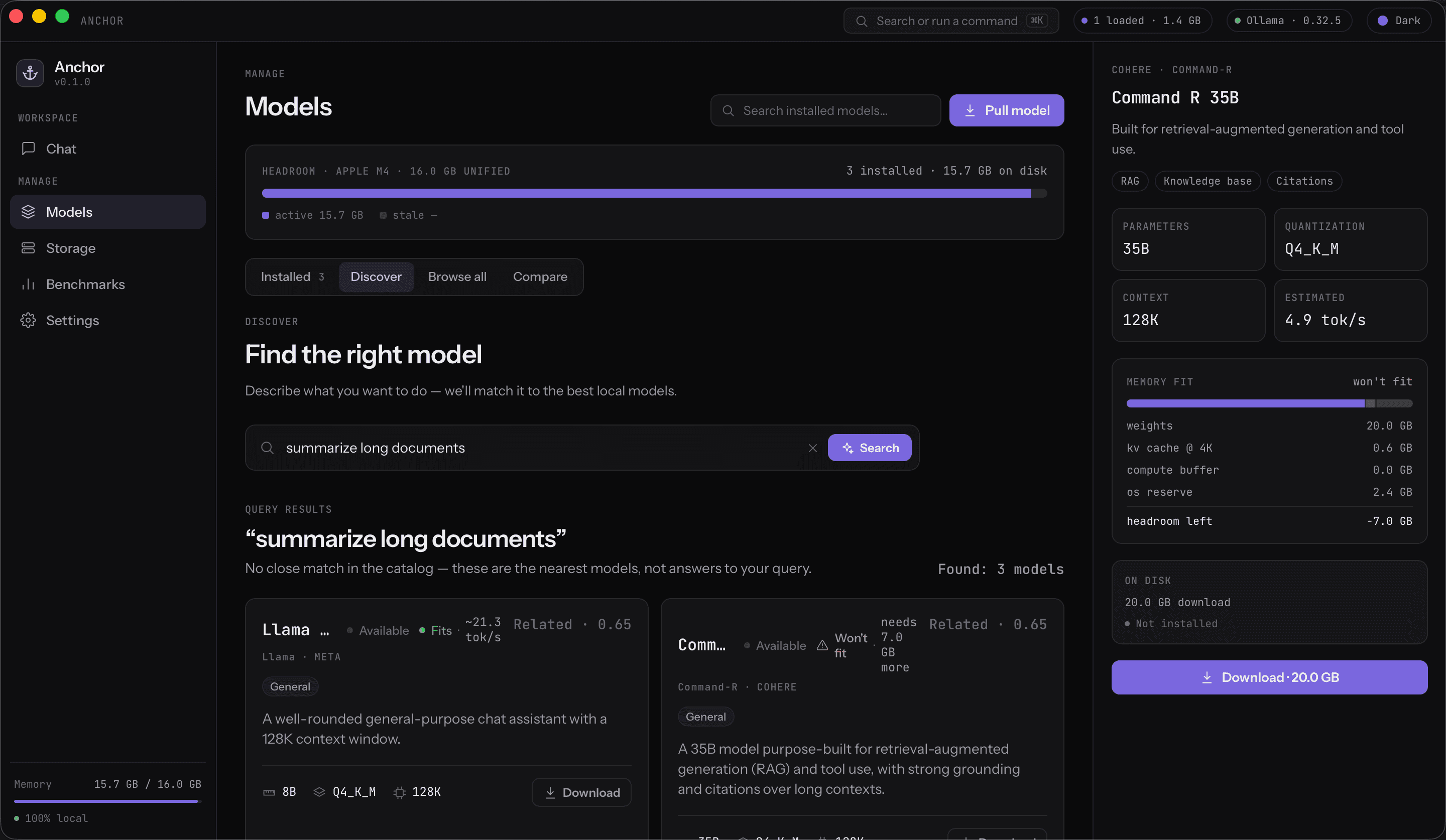
LOCAL AI, IN YOUR HANDS
Anchor brings model discovery, memory fit, benchmarks, and chat into one native macOS app. Built for the models running on your machine.
Anchor for macOS · Model discovery
THE WORKSPACE
Anchor sits on top of Ollama and makes the day to day work of running models easier to see and control.
01 / DISCOVER
Search for what you want to do in plain language. Anchor shows relevant models alongside the memory they need, so you can make a choice before downloading.
Get Anchor02 / MEASURE
Run repeatable benchmarks and compare throughput, time to first token, and thermal state on your own Mac.
Get Anchor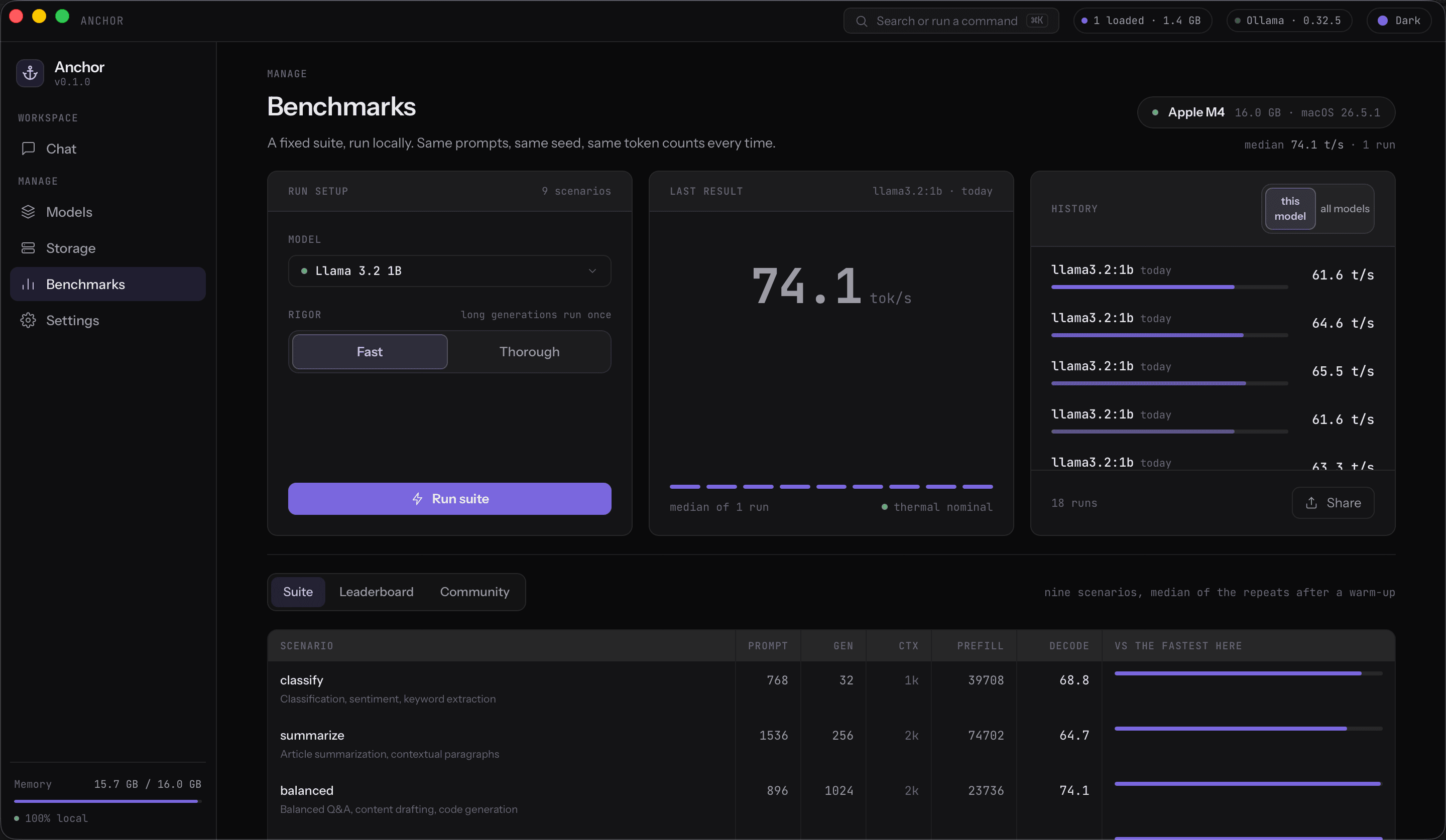
03 / MANAGE
Browse installed models, inspect their details, and pull new ones from one place. Storage and presets are close by when you need them.
Get Anchor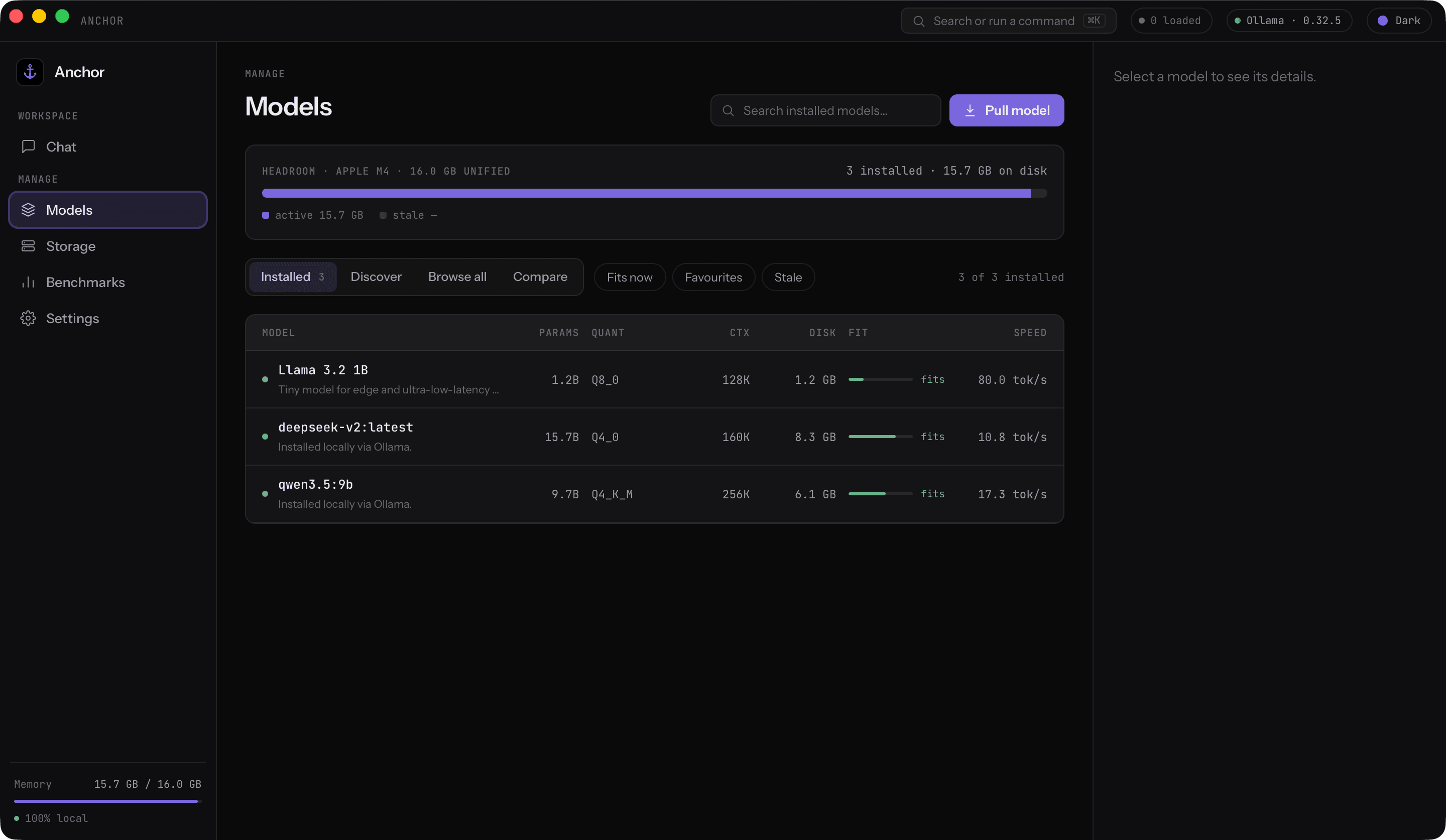
MAKE IT YOURS
Chat with installed models, check storage, and compare options in the desktop app. When you want the terminal, the Anchor CLI works with the same local data.
Explore the open source projectOpen the app and get to work.
Chats are saved on your Mac.
Read the code on GitHub.
GET STARTED
Download Anchor, connect to Ollama, and see what your Mac can do.